K53 Simulator logoK53 Simulator
  • Home
  • How It Works
    • Quick Start Guide
    • Mobile Control Buttons
    • Keyboard & Mouse
    • Gamepad & Joystick
    • Steering Wheel
    • Difficulty Levels
    • Tips
  • Practice Driving
  • Drive Online
  • Account
    • Cart
    • Checkout
    • My account
  • For Schools
    • Quick Start Guide
    • Lite Simulator Setup
    • Training Hardware Options
    • Driving Simulator Hardware
  • Shop

admin

K53 Simulator on a computer with gamepad/joystick
News

Official: K53 Simulator is now a Registered Company

Date: December 4, 2025 We are pleased to announce that K53 Simulator has officially been registered with the Companies and Intellectual Property Commission (CIPC). This step marks a significant milestone in our commitment to providing a professional, compliant, and sustainable training platform for South African learner drivers and driving schools. Read more…

By admin, 2 monthsDecember 4, 2025 ago
K53 Simulator and GTAT-5002 or GTAT-5001
News

K53 Simulator: A Beginner-Friendly Option for GTAT Hardware

We are excited to announce a new compatibility update for the K53 Simulator. Our software is being adapted to work as a beginner-friendly training option for the GTAT-5001 and GTAT-5002 driving simulator hardware (produced by GTEECN) out of the box. This shall allow driving schools to combine our specialized K53 Read more…

By admin, 3 monthsNovember 5, 2025 ago
k53 similator on microsoft store
News

An Important Update for Microsoft Store Users

We are writing to let you know about a temporary issue affecting the K53 Simulator on the Microsoft Store. A system glitch on Microsoft’s end is currently preventing us from publishing new updates and bug fixes. We have already contacted their support team and expect them to fix the issue Read more…

By admin, 3 monthsNovember 5, 2025 ago
K53 Simulator Awarded R100,000 in Marketing Credits to Support Growth
News

K53 Simulator Awarded R100,000 in Marketing Credits to Support Growth

We are pleased to announce that three weeks ago, the K53 Simulator was awarded R100,000 in marketing credits. This support was granted through a startup development program run by an international technology firm. These credits are to be directed towards increasing the visibility of the simulator, with the goal of Read more…

By admin, 4 monthsSeptember 23, 2025 ago
A Contemplated Technical Update for k53 Simulator on Android
About

NEWS FLASH: A Contemplated Technical Update for k53 Simulator on Android

We are communicating a potential change we are currently contemplating for the Android version of our k53 simulator. We are running an experiment to switch the app’s color space from linear back to gamma on the Google Play Store and Huawei AppGallery versions. The motivation behind this experiment is focused Read more…

By admin, 4 monthsSeptember 21, 2025 ago
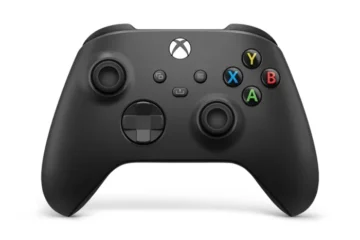
Boosting K53 Simulator Realism with a Game Controller
News

Boosting K53 Simulator Realism with a Game Controller

After over a year of the K53 Simulator launch, I am finally purchasing a game controller (or joystick) for a more nuanced testing. Until now, I have for the most part tested the PC version of the K53 Simulator using a keyboard. Well, while a keyboard works, any keen learner Read more…

By admin, 6 monthsJuly 23, 2025 ago
Issues with recent Microsoft Store updates
News

Issues with Recent Microsoft Store K53 Simulator Updates

Updates recently pushed to the K53 Simulator version at Microsoft Store turned out to have some material issue. On one second last update attempt, I realised I had unsuspectingly disabled a number of game objects that play crucial roles in random startups (visually and programmatically). On my last update attempt Read more…

By admin, 8 monthsJune 14, 2025 ago
K53 Simulator Now Available for Xbox
News

K53 Simulator Now Available for Xbox

It has been around a month or so now since it has gone live on Xbox. While one can play the K53 Simulator on a PC using just the keyboard and still reap solid fruits, a game controller (which comes standard on an Xbox) must offer an even better vehicle Read more…

By admin, 8 monthsJune 11, 2025 ago
K53 Simulator traffic
News

Subscriptions in error on the Microsoft version

The Microsoft Store version of the K53 Simulator was updated yesterday. While this update had interesting features such as the added mini circle, it seems I may have forgotten to disable the use of In-App-Purchases (only necessary for the Google Play Store version). I expect to push another update not Read more…

By admin, 10 monthsApril 16, 2025 ago
K53 Simulator Now Supports PayFast
News

K53 Simulator Now Supports PayFast

We’ve switched to PayFast as a main payment gateway for the K53 Simulator. This integration aims to provide our users with a wider range of convenient payment methods. With PayFast, users can now choose from various options to access the K53 Simulator (online or our EXE). Please note that while Read more…

By admin, 10 monthsApril 13, 2025 ago

Posts pagination

1 2 Next

PayFast Methods:

RCS includes (amongst others) store cards such as Jet, Edgars, Makro, Game, Builders, CTM,:

Also Accepted:

Vodacom and MTN payment gateway for K53 Simulator
Personal users only

Vodacom/MTN Airtime


Stndard bank

Direct EFT to our Business Accounts

Payment Processor:

K53 Simulator uses Payfast
Kindly contact for an invoice or address

  • Blog
  • About K53 Simulator
  • Bug Tracker
  • Changelog
  • Contact us
© 2026 K53 Simulator. All Rights Reserved.
Registered Name: K2025937936 (SOUTH AFRICA) | Reg: 2025/937936/07

Driving schools/instructor promo: R200 for 12 months. Kindly contact for more info.

I recently downloaded your game from the Play Store and I really enjoy the concept. It has a lot of potential, especially for people practicing for the K53 learner’s license. However, I’ve noticed a few issues and have some suggestions that could greatly improve the experience:
Issues & Bugs
“Start Driving Now” option not working:
When I press the Start Driving Now button, nothing happens. The only option that works consistently is the Mode option.
Premium purchase not saving:
When I pay for the Premium version, it works at first. However, after exiting or reopening the game, the Premium version is gone and I’m asked to pay again.
360° challenge not registering:
The game asks me to complete a 360° turn before driving. I perform the action, but the game still says I didn’t complete it.
Suggestions for Improvement
Account login system:
Please add login options (email, Google, or Facebook). This way, Premium purchases are linked to an account and won’t be lost if the game is reinstalled or played on another phone.
Tutorial system:
A short tutorial explaining what each button does would help a lot.
For example:
“To perform a 360°, press this button”
This would make it clear whether the player is doing something wrong.
Fuel system issue:
When I start a new game, the fuel gauge is already empty, making it impossible to drive properly.
Traffic system:
Even when traffic is enabled, there are very few cars. Increasing traffic density would improve realism.
Performance & loading:
The game sometimes feels slow and takes long to load. Performance optimisation would improve gameplay.
Overall, this is an amazing game with strong potential. With these fixes and improvements, it could be an excellent learning and practice tool for K53 learners and driving practice in general.
Thank you for your hard work, and I hope this feedback helps improve the game.

Are you exploring the K53 Simulator for yourself as a learner driver, or for your learners as a driving school?


Learner Driver
Driving School

1. Enhanced Practice and Repetition The core value of the simulator is the ability to practice K53 procedures repeatedly without the limitations of a real car. Instructors can explain a maneuver—like the parallel park or three-point turn—and then the student can immediately go on the simulator to practice it dozens of times. This helps a student build muscle memory and confidence before they get behind the wheel, which saves both the student’s time and the instructor’s.

2. Focus on Mental and Procedural Fidelity While a real car truly provides a tactile experience, the simulator excels at reinforcing the K53’s procedural and mental aspects. The instructor can use the simulator to:

  • Drill the K53 observation sequences: Students can practice the “mirror-signal-blind spot” sequence until it becomes second nature, reducing errors during the actual test.
  • Reinforce rules of the road: The simulator can test a student’s knowledge of road signs, markings, and traffic light sequences in a dynamic, risk-free environment.
  • Practice defensive driving: Instructors can set up scenarios that teach students how to anticipate hazards, manage following distances, and react appropriately to unexpected events—all without the danger of a real-world mistake.

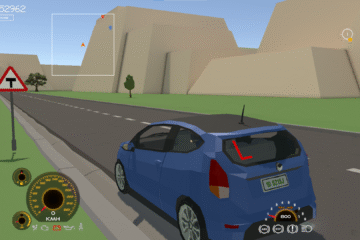
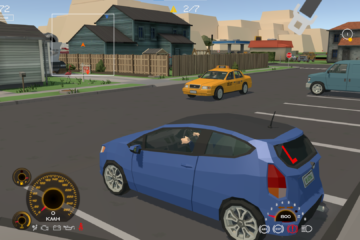
Your task is to drive from randomly picked starting points to randomly picked destinations, following the K53 Driving Manual.

Key:

The destination marker: This is where you ever drive to except for when your vehicle needs repairs.

The fuel/filling station marker: You can refill fuel when low. Turn off the engine first.

The auto-repairs marker: You cannot complete a drive test if your vehicle is showing a dashboard warning light. You need to have it serviced here first.

Already implemented K53 Driving Rules

  • Keep left and pass right
  • Indicate your intention to turn or enter the public road
  • Put on the safety belt when driving forward on the public road
  • Indicate to overtake (as well as returning to your lane)
  • Crossing a mini circle intersection
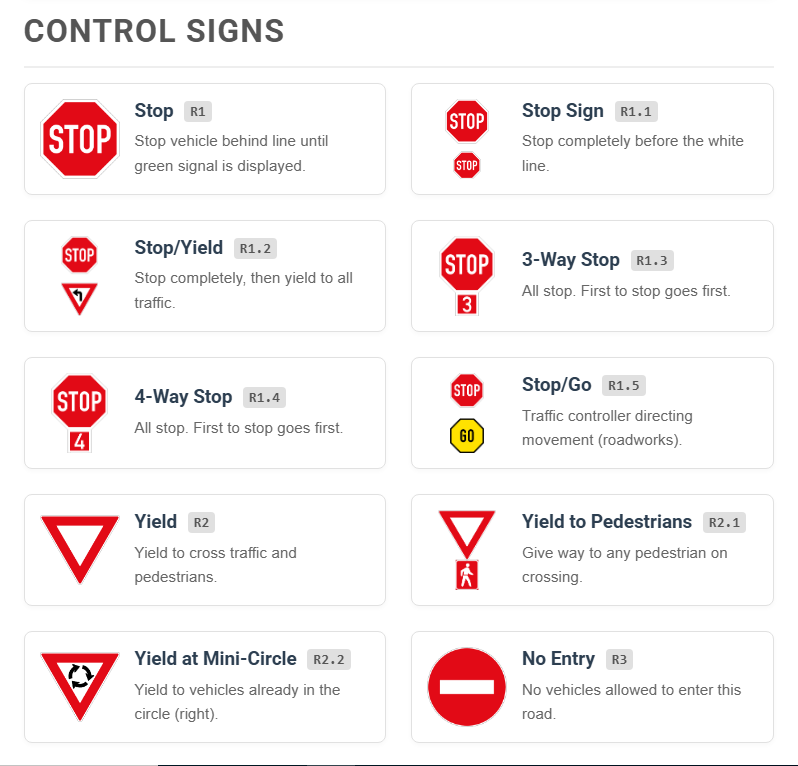
  • Crossing a four ways stop intersection
  • Crossing a 3 ways stop intersection
  • Crossing a level crossing
  • Crossing traffic lights controlled intersection
  • Braking and down shifting sequence before turning
  • Vehicle positioning before turning
  • Vehicle positioning (follow your path) when turning at an intersection
  • Crossing a yield intersection
  • Rear mirror, side mirror and blind spot (3 point observation) before indicating
  • Left blind spot, mirrors and right blind spot (5 point or 360 degrees observation) before taking of from a standstill.
  • Incline ‘Uncontrolled rollback’
  • Ensuring Neutral or Park is selected before starting a vehicle
  • Applying the parking brake when stationary for any amount of time
  • Unjustified coasting of the clutch
  • Turning off the engine before refilling fuel
  • Ensuring the signal/indicator is cancelled after a turn is completed
  • Yielding to oncoming traffic before turning right

Yard Test Mode

You are to get instructions before each manoeuvre starts. Time is allocated – within which you must complete the manoeuvre.

For PC, refer to the Keyboard or Gamepad controls. Kindly contact if you have any question – can be Whatsapp or email.

  • Use the arrow keys to steer, brake and accelerate
  • Use key I to turn the engine on and off
  • Use N to engage the Neutral gear
  • Use number keys 1 to 5 to engage respective gear (Or left Shift/Ctrl to shift up and down)
  • See full keyboard controls here.
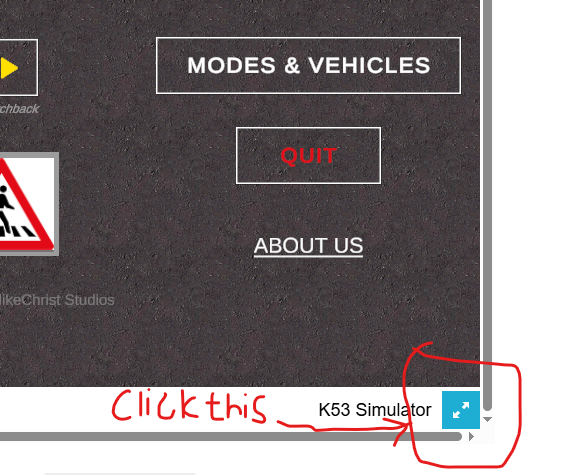
You need to scroll to the bottom right to reveal the blue button.